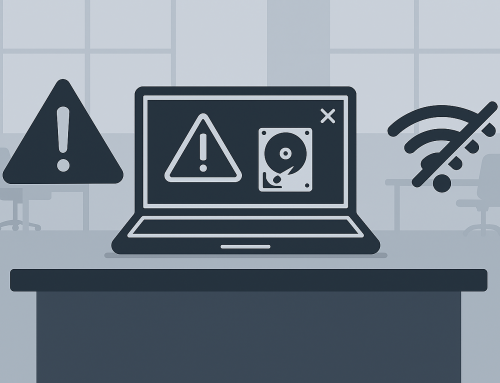

If your computer feels slower than it used to—taking longer to start, opening programs sluggishly, or freezing at the worst times—you’re not alone. Slow computer performance is one of the most common technology problems people experience, and it rarely has a single cause. In most cases, performance issues build up gradually as software, hardware, and usage patterns change over time.
Understanding why computers slow down can help you recognize when it’s time to seek professional help before small issues turn into bigger, more expensive problems.
Software Overload Happens Gradually
Modern computers rely on dozens—sometimes hundreds—of background processes to function. Over time, programs, updates, and system services can accumulate and compete for the same resources. Even well‑intentioned software can contribute to performance slowdowns simply by running in the background without the user realizing it.
As systems age, software that once ran smoothly may demand more from the computer than it was originally designed to handle. This mismatch between software expectations and available resources is a common cause of sluggish performance. [techlicious.com].
Hardware Has Physical Limits
Every computer has physical components that determine how much work it can handle at once. As files grow larger and applications become more demanding, older hardware can struggle to keep up. Storage devices, memory, and processors all play a role in how responsive a computer feels.
In some cases, performance issues aren’t caused by anything “wrong” at all—just normal wear and tear. Mechanical components naturally degrade over time, and even solid‑state storage has finite limits. When hardware reaches those limits, slowdowns become more noticeable during everyday tasks. [techlicious.com], [computerpe…rmance.org]
Malware and Unwanted Software Drain Resources
Not all slow computers are infected with obvious viruses. Many performance problems are caused by hidden background activity from unwanted software, adware, or incomplete security threats. These programs quietly consume processing power and memory while providing little or no benefit to the user.
Because this activity often happens behind the scenes, users may not realize it’s occurring until the computer becomes frustratingly slow or unstable. Identifying and safely removing these issues typically requires professional tools and experience. [computerpe…rmance.org]
Storage Issues Affect Speed More Than People Expect
When storage devices approach their limits, computers have a harder time managing data efficiently. This can affect everything from boot times to file access and application performance. Unlike older computers, modern systems depend heavily on fast storage access to maintain responsiveness.
Storage‑related slowdowns often develop gradually, making them easy to overlook until performance noticeably declines. These issues are frequently misdiagnosed without proper evaluation. [xda-developers.com], [ipmcomputers.com]
Heat and Physical Conditions Matter
Computers generate heat as they operate, and excessive heat can cause systems to slow themselves down to prevent damage. Dust buildup, poor airflow, or aging cooling components can all contribute to thermal stress.
When this happens, computers may reduce performance automatically, leading to unexplained slowdowns even when performing simple tasks. Because these problems are physical, they often require hands‑on inspection to address safely. [computerpe…rmance.org]
Aging Systems Face Compatibility Challenges
As operating systems and applications evolve, older computers may struggle to maintain compatibility. Updates designed for newer hardware can place unexpected demands on older systems, sometimes resulting in reduced performance rather than improvement.
This doesn’t necessarily mean the computer is broken—it may simply be reaching the limits of what it was designed to support. Determining whether performance issues are caused by compatibility, configuration, or hardware aging is best done through professional assessment. [computerpe…rmance.org]
Why Professional Diagnosis Matters
Slow computer performance is rarely caused by a single factor. It’s usually the result of multiple issues working together over time. Attempting to diagnose or fix performance problems without the right tools or experience can unintentionally make things worse or lead to data loss.
A professional evaluation can identify the true cause of slowdowns, explain available options, and help determine whether repair, optimization, or replacement makes the most sense for your situation.
When Slowdowns Become Disruptive
If your computer is consistently slow, freezes often, or interferes with your work or daily tasks, it’s a sign that something needs attention. Addressing performance issues early can extend the life of your system and prevent more serious failures down the road.
Not Sure What’s Slowing Your Computer Down?
If your computer is running slower than it should and you’re not sure why, you don’t have to figure it out on your own. Many performance issues aren’t obvious without looking a little deeper, and guessing can sometimes make things worse.
If you’re in Spokane, Spokane Valley or the surrounding areas, you’re welcome to bring your computer by Friendly Computers and have one of our local technicians take a look. A straightforward evaluation can help explain what’s going on, whether it’s something minor, something ongoing, or something that should be addressed sooner rather than later.
Sometimes just getting a clear explanation from someone who works on computers every day makes all the difference.