
What to Do When Your Computer Won’t Turn On
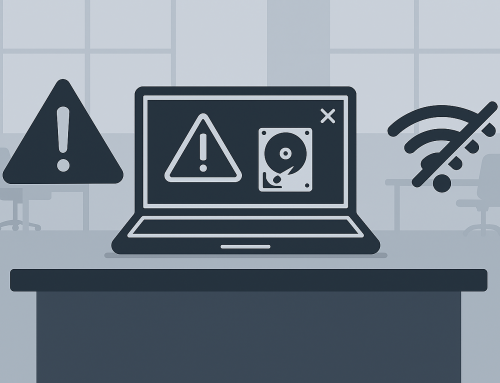
Pressing the power button and getting no response from your computer can be stressful—especially if you rely on it for work, school, or personal files. When a computer won’t turn on, the cause can range from something simple to a more serious hardware issue. Knowing what might be happening helps you decide what to do next without making the problem worse.
First: Don’t Panic or Force It
A computer that won’t power on doesn’t automatically mean it’s “dead.” Many no‑power situations are related to electrical issues, internal protection mechanisms, or a single failed component. Repeatedly pressing the power button or trying random fixes can sometimes cause additional damage.
At this stage, it’s best to pause and understand the possible reasons before taking action.
Common Reasons a Computer Won’t Turn On
Power‑Related Problems
One of the most common causes is simply that power isn’t reaching the system. This can be due to a faulty outlet, power strip, charging cable, or internal power component. If a computer shows no lights, no sounds, and no activity at all, power delivery is often the issue. [digitaltrends.com], [dell.com]
Battery or Charging Issues (Laptops)
For laptops, a failing battery or charger can prevent the system from starting. Even when plugged in, a damaged charging circuit or adapter can stop power from reaching the motherboard. [wikihow.com]
Hardware Protection Shutdowns
Computers are designed to shut down or refuse to start if they detect unsafe conditions. Overheating, internal electrical faults, or failing components can trigger protective behavior that prevents startup to avoid further damage. [thetechylife.com]
Internal Hardware Failures
Components like power supplies, memory, motherboards, or internal connectors can fail over time. When this happens, the computer may appear completely unresponsive or may briefly show signs of life and then stop. [techtimes.com]
It’s Actually Turning On—But Nothing Appears
Sometimes the computer is powering on, but nothing shows on the screen. Display problems, failed monitors, or internal graphics issues can make it seem like the computer isn’t working when it actually is. [pcmag.com]
Why Guessing Can Make Things Worse
It’s tempting to start unplugging components or opening the computer to “see what’s wrong.” While that can be safe in the right hands, it can also:
- Cause static or electrical damage
- Dislodge working components
- Turn a minor issue into a major repair
- Cause data loss
Without proper testing equipment, it’s difficult to tell whether the problem is power, hardware, firmware, or display‑related. That’s why many manufacturers and repair professionals recommend stopping early and getting a proper diagnosis instead of trial‑and‑error fixes. [asurion.com]
When Professional Help Makes Sense
If your computer:
- Shows no signs of power at all
- Turns on briefly and shuts off
- Won’t start after a power interruption
- Has important or irreplaceable data
…a professional evaluation is usually the safest next step. A proper diagnostic can determine whether the issue is something minor or a component that truly needs replacement.
Local Help in Spokane & Spokane Valley
If you’re in Spokane, Spokane Valley, or the surrounding areas and your computer won’t turn on, you don’t have to figure it out alone. You’re welcome to bring it by Friendly Computers for an honest evaluation.
A straightforward check can help identify whether the issue is power‑related, hardware‑related, or something else entirely—and what your options are moving forward. Even knowing why the computer won’t turn on can bring peace of mind and help you make the right decision.
Computer Repair & IT Services in Spokane
Sometimes the best next step is simply having someone take a proper look.
For 15 years, Friendly Computers has serviced over 30,000 customers, computers, laptops, business servers and networks. Our knowledge, expertise, and customer service are unmatched in the Spokane area when it comes to computer and laptop repair, virus removal, tech support and data recovery.
Why Call A GEEK When You Can Call A FRIEND!