
A Comprehensive Guide to Digital Security
In today’s increasingly digital world, the threat of online scammers is omnipresent. Whether you are a casual web surfer, a remote worker, or a dedicated gamer, the security of your computer is crucial—not just for your peace of mind, but also for your personal information, finances, and reputation. Scammers are constantly devising sophisticated techniques to trick users and gain access to private data. Fortunately, with the right strategies and vigilance, you can defend yourself against these threats.
Understanding the Threat Landscape
The first step in protecting your computer is understanding the ways scammers operate. Online scams can take many forms, including:
- Phishing: Fraudulent emails or messages designed to trick you into giving up personal information or clicking malicious links.
- Malware: Software installed without your consent that can steal data, monitor activity, or damage your computer.
- Fake Tech Support: Scammers posing as support agents requesting remote access to “fix” non-existent issues.
- Ransomware: Malicious programs that lock your data until you pay a ransom.
- Social Engineering: Manipulation tactics aimed at influencing you to reveal confidential information.
Recognizing these threats is vital in mounting an effective defense.
Build Strong Digital Hygiene
Good digital hygiene is the foundation of computer security. Here are the essential practices:
1. Use Robust Passwords
- Choose passwords that are at least 12 characters long, combining uppercase and lowercase letters, numbers, and symbols.
- Avoid using simple or predictable passwords like “password123” or personal information.
- Consider a reputable password manager to generate and store complex passwords securely.
2. Enable Two-Factor Authentication (2FA)
- Wherever possible, activate 2FA on your accounts. This adds an extra layer of security by requiring a second form of verification, like a code sent to your phone.
3. Keep Your System and Software Updated
- Regularly update your operating system, browser, and applications to patch security vulnerabilities.
- Enable automatic updates where possible so you never miss critical fixes.
4. Back Up Your Data
- Use cloud services or external drives to frequently back up important files.
- Test your backups occasionally to ensure data can be restored.
Install and Maintain Security Software
A reputable antivirus or security suite is a powerful defense against malware and other threats. We recommend Avast Business CloudCare. It’s an Enterprise level solution that provides:
- Real-time scanning and protection against viruses, spyware, and ransomware.
- Automatic updates for the latest threat definitions.
- Firewall management to monitor network traffic.
- Web protection to block dangerous sites and downloads.
- Email us if anything is found.
Remember, no security software is foolproof; it should be part of a broader security strategy.
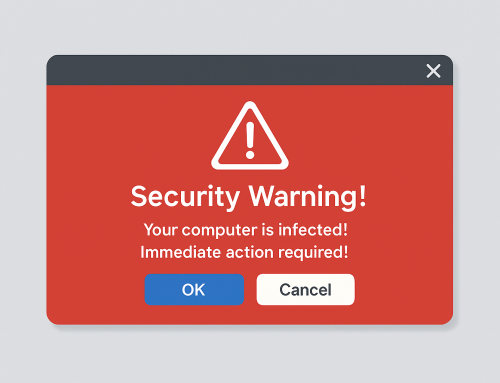
Be Wary of Suspicious Communications
Scammers often use deceptive messages or pop-ups to trick users. To protect yourself:
- Don’t click links or download attachments from unknown or unexpected emails.
- Verify the sender’s identity before responding, even if the message appears urgent.
- Look for signs of phishing, such as misspellings, generic greetings, and requests for sensitive information.
- If you receive a call or message from someone claiming to be tech support, hang up and contact the company directly through their official channels.
- For emails about purchases or money, don’t click any links or call any numbers on the email or pop-up. Call your financial institution directly – usually by a number on a statement or the back of your card.
Practice Safe Browsing
The way you navigate the web can affect your risk level. Follow these guidelines:
- Only enter personal information on websites with HTTPS in the address bar.
- Be cautious when downloading files or software—stick to official sources.
- Use privacy settings on your browser to block pop-ups and trackers.
- Consider installing browser extensions that help detect and block malicious sites.
Protect Your Privacy on Social Media
Social media platforms are fertile ground for scammers seeking personal information. Safeguard your privacy by:
- Limiting the amount of personal data you share online.
- Setting your profiles to private and controlling who can see your posts.
- Being careful with friend requests and messages from unknown contacts.
- Reporting suspicious activity to platform moderators.
Be Cautious with Remote Access Requests
Scammers may attempt to trick you into giving them remote control of your computer. To avoid falling victim:
- Never grant remote access to anyone unless you initiated the support request and verified the agent’s identity.
- Do not install remote access software unless absolutely necessary and from a trusted source.
Educate Yourself and Your Household
Knowledge is power. Stay informed about new scams and share safety tips with family members, especially children or older adults who may be more vulnerable.
- Follow reputable tech blogs and security news outlets.
- Attend online safety workshops or webinars.
- Discuss common scam tactics and practice responding to potential threats.
Responding to a Scam Attempt
If you suspect you’ve encountered a scam or your computer has been compromised, act quickly:
- Disconnect from the internet immediately to halt unauthorized access.
- Run a full antivirus scan and follow recommended clean-up procedures.
- Change your passwords for any affected accounts.
- Report the incident to relevant authorities, such as your bank, IT department, or local law enforcement.
Conclusion: Vigilance Is Your Best Defense
Keeping your computer safe from scammers requires a blend of technological tools and personal vigilance. By practicing strong digital hygiene, using reliable security software, and staying alert to suspicious behavior, you can make it exceedingly difficult for scammers to succeed. The digital world is ever-evolving, and so are the tactics of those who seek to exploit it. Stay informed, be proactive, and cultivate a healthy skepticism—your data, your finances, and your peace of mind are worth it.
Remember: online safety isn’t a one-time effort. Make security a routine part of your digital life, and you’ll be well-equipped to enjoy the benefits of technology without falling victim to the perils lurking in its shadows.